
Aqari
One system to manage the full property lifecycle: from unit, contract, and collection to expense, petty cash, journals, reports, and approvals.
Property management is not only units and contracts; it is operations, finance, follow-up, and control.
- Every record is tied to its source: property, unit, tenant, contract, payment, cheque, expense, or document.
- Every financial movement can be traced from the operational action to the report.
- Every user works according to their role and responsibility.
- Every report is based on structured data instead of manual collection.
Sales message
Aqari reduces dependence on spreadsheets, messages, and disconnected files, giving management one view of operational and financial performance.
The core modules available in the system.
Aqari serves multiple customer types through the same platform.
Property management companies
Multi-property portfolios, teams, permissions, owner reports, and daily operational control.
Owners and family offices
Clear visibility into income, expenses, contracts, distributions, and ownership reports.
Developers and leasing teams
Units, bookings, offers, contracts, payments, collection, and operational follow-up.

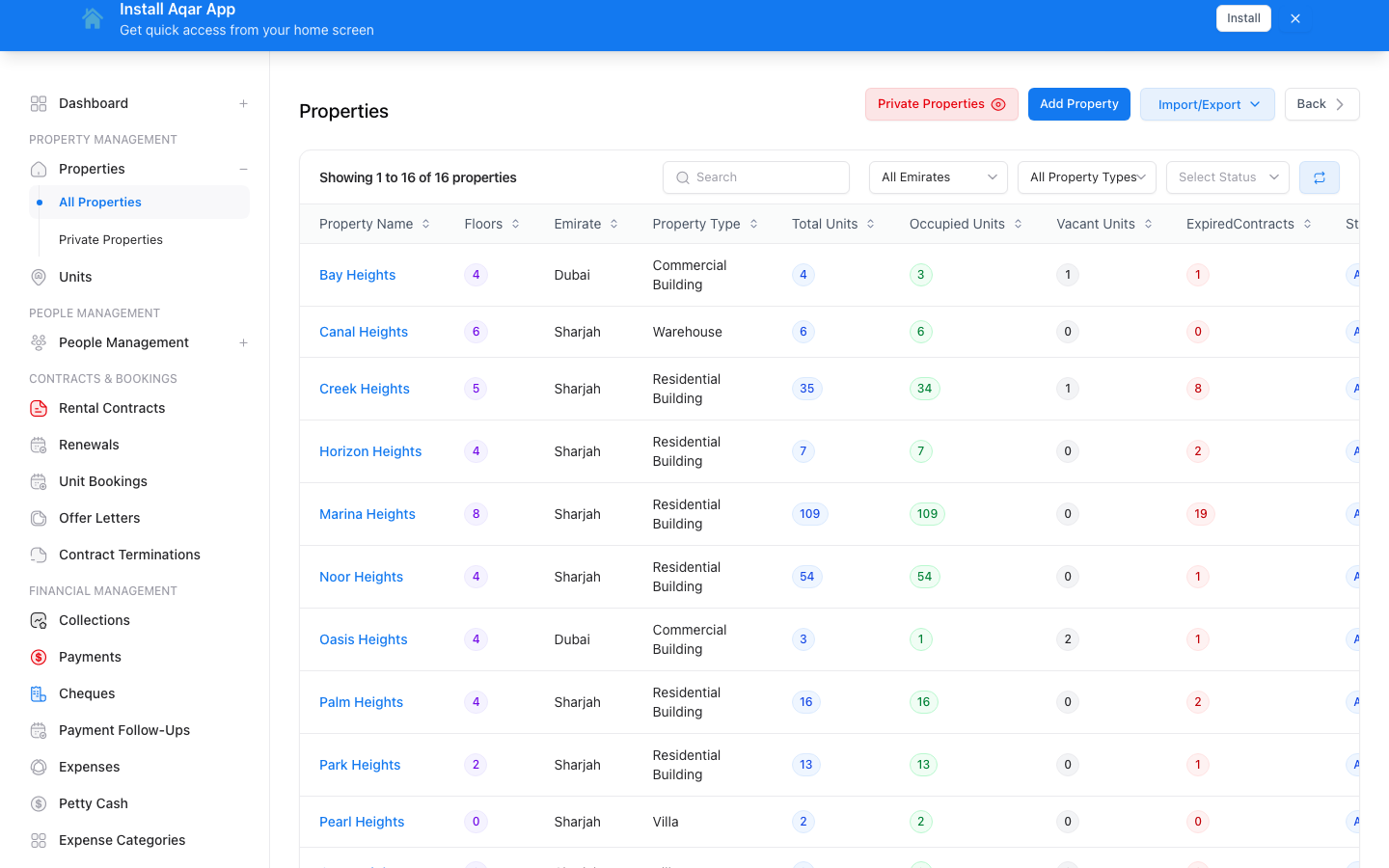
A complete record for every property.
- Create and manage properties with Arabic/English names, address, classification, and emirate.
- Track property status: active, sold, archived, or private.
- Link the property to units, owners, bank accounts, and documents.
- Add property expenses and review related collections and contracts.
- Open property details with units, contracts, expenses, and analytics.
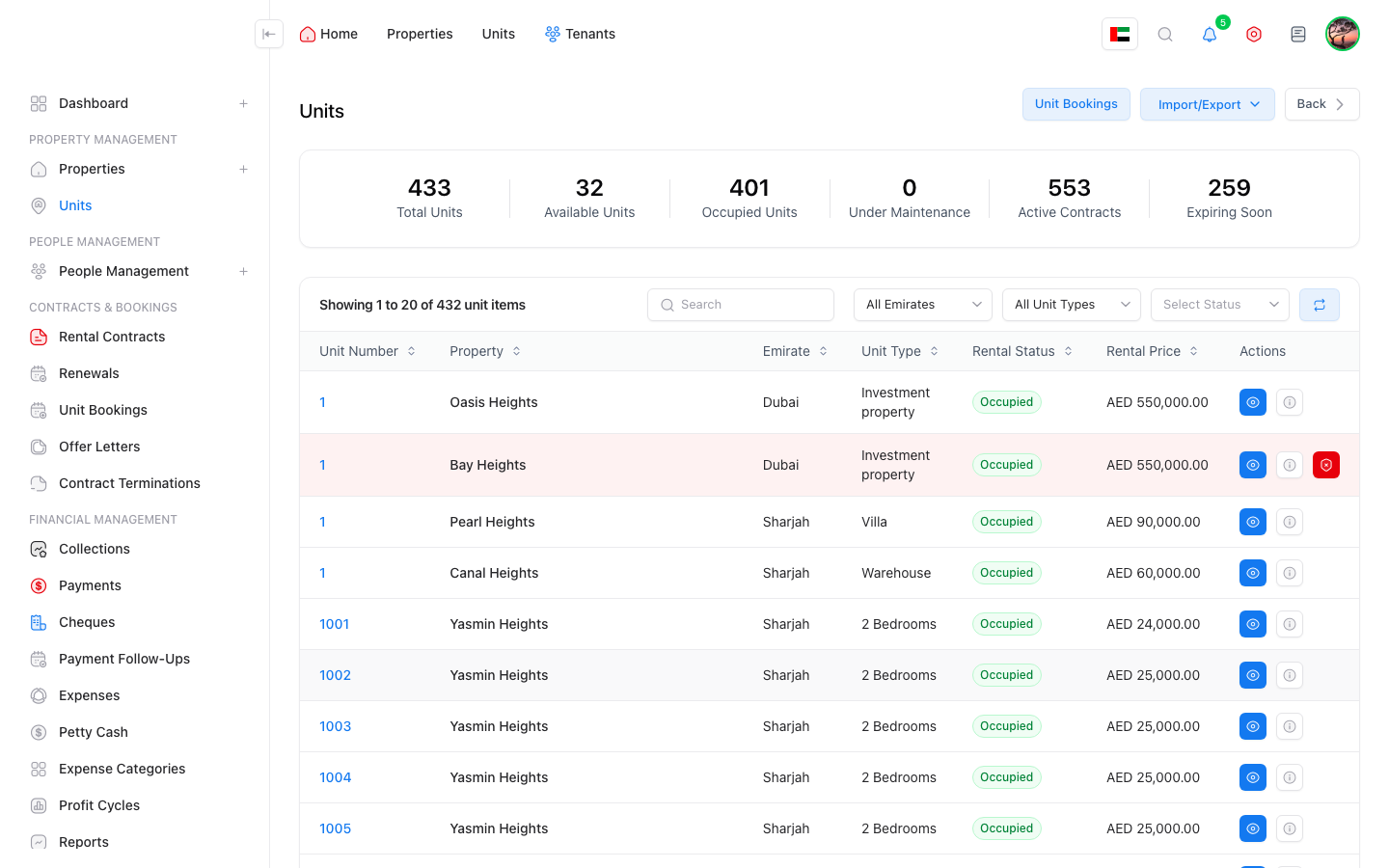
Precise details and operational status for every unit.
- Unit data: number, type, area, floor, rooms, bathrooms, price, and rent.
- Unit status: vacant, leased, maintenance, booked, offer-linked, or legal case.
- Unit details show contracts, expenses, documents, and maintenance.
- Add an expense from inside the unit with the right payment method and account.
- Import and export units to accelerate large portfolio onboarding.
Reference data keeps the system organized.
- Property types, property natures, unit types, emirates, and nationalities.
- Emirate rent rules where business rules require them.
- Private property access settings and user-to-property access control.
- Banks, service providers, and lookup lists that standardize data entry.

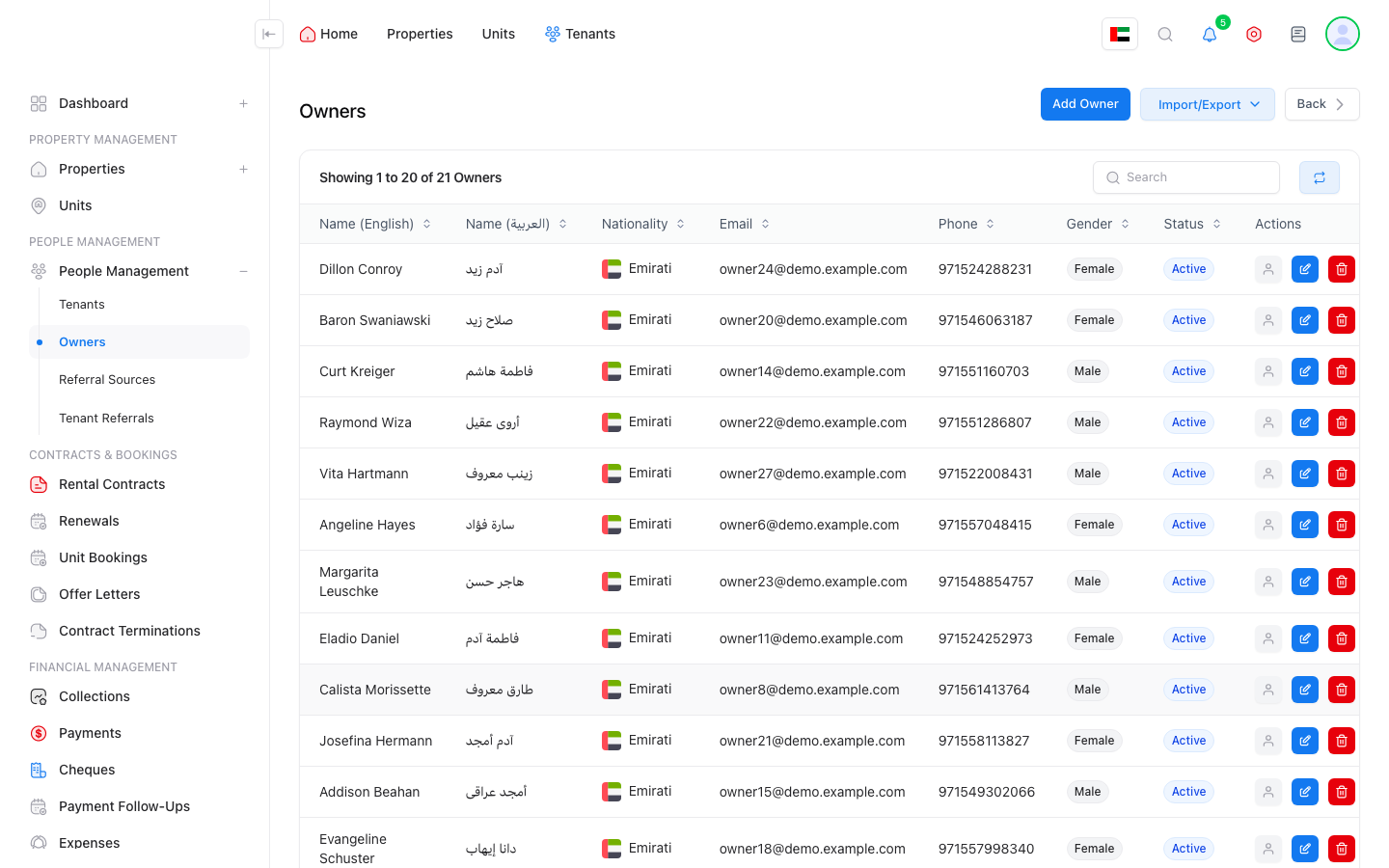
Manage owners, portfolios, and ownership shares.
- Manage owner records, profiles, and documents.
- Link owners to properties or units with ownership percentage and scope.
- View each owner portfolio and related reports.
- Support profit and distribution reports by profit cycle or property.
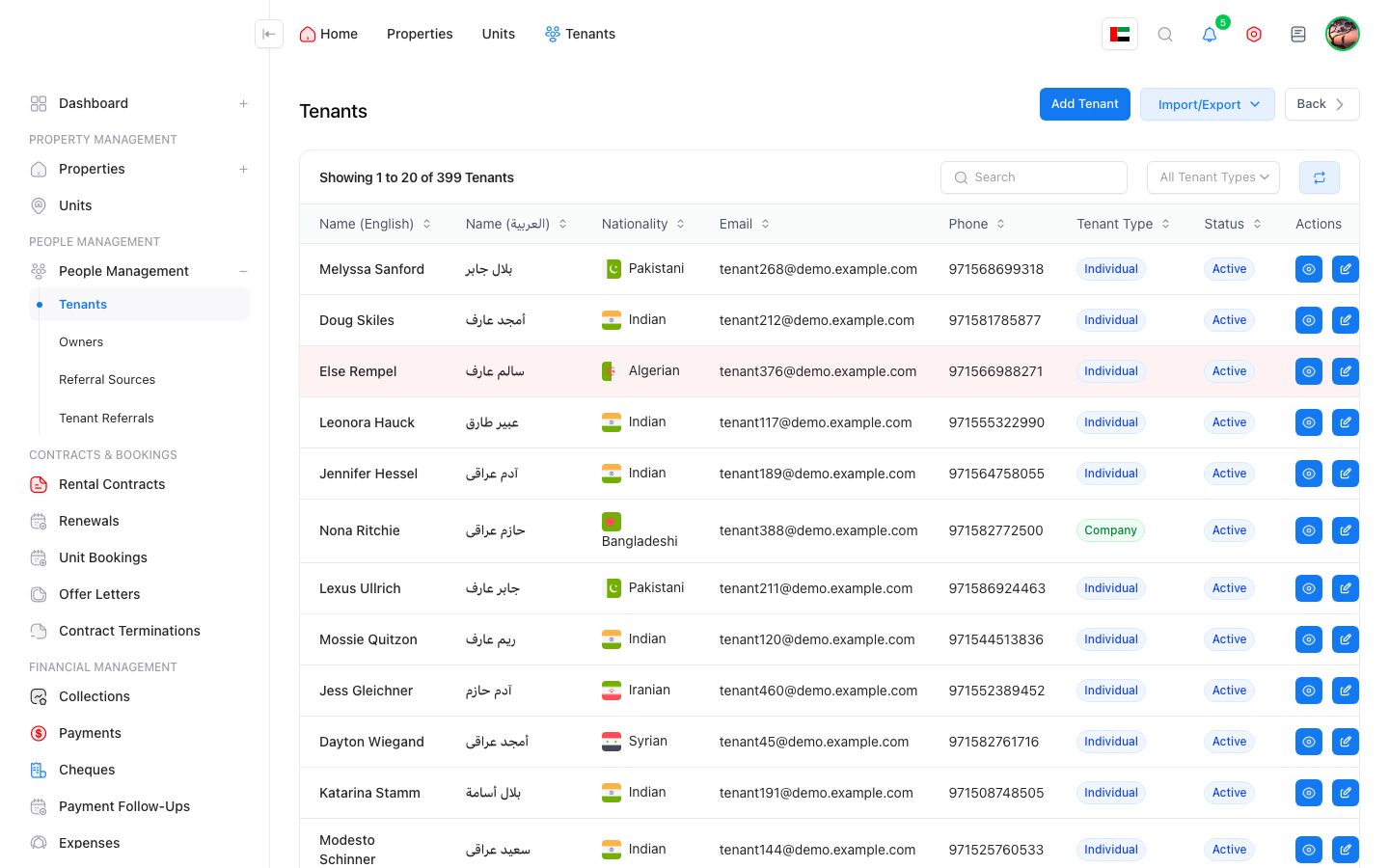
A complete tenant profile with contracts and communication history.
- Manage individual and corporate tenants with contact, identity, and nationality data.
- Tenant profile shows contracts, payments, collections, notes, and documents.
- Block high-risk tenants with reason and date.
- Referral sources and tenant referrals help analyze marketing channels.
- Internal communication history supports team coordination.
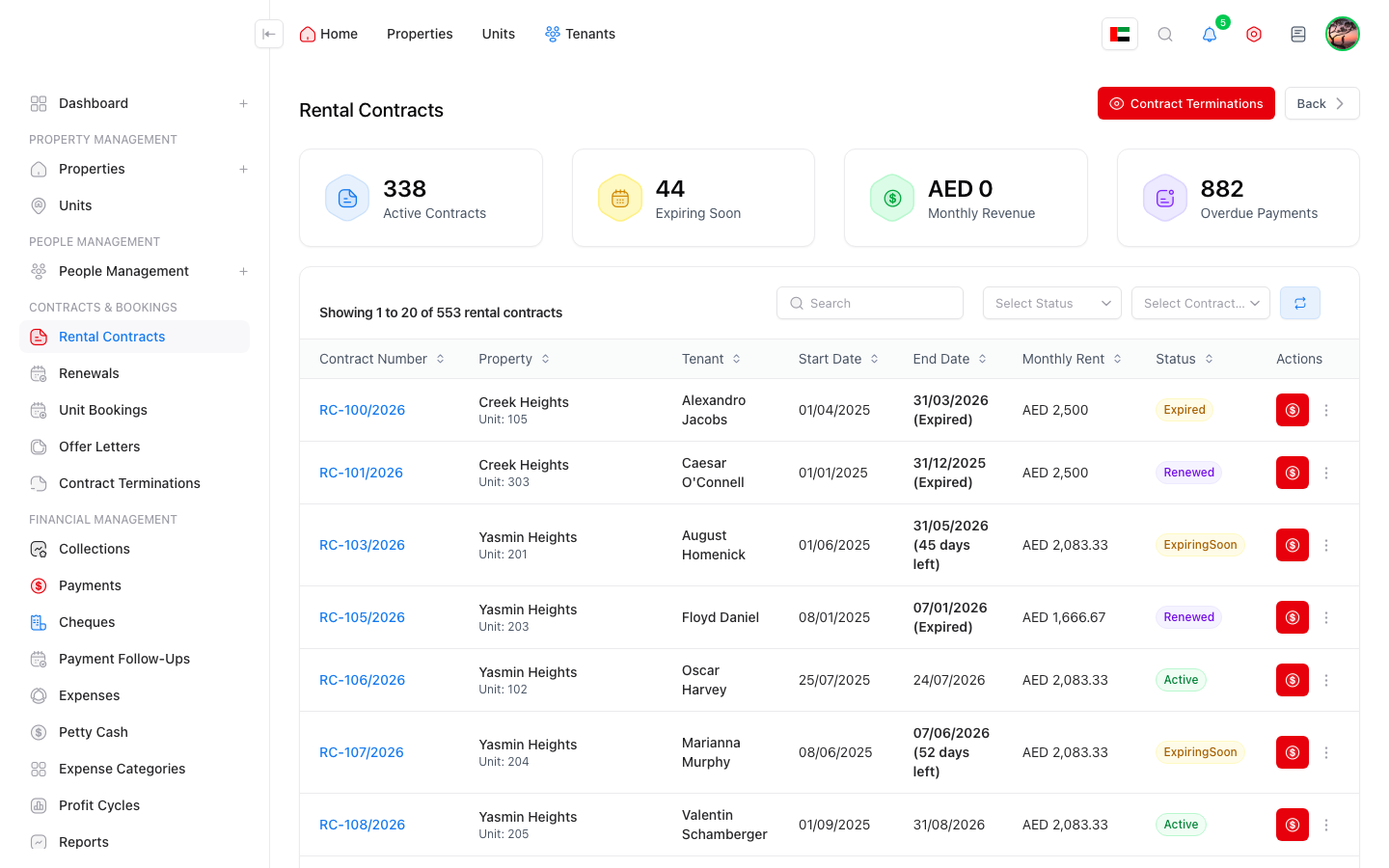
Manage the full contract lifecycle.
- Create contracts linked to tenant, unit, and property.
- Contract details include start/end dates, rent, deposit, commission, and payment terms.
- Generate payment schedules based on contract terms.
- Contract view includes payments, cheques, documents, and notes.
- Track renewal and link old and new contracts.
The system continues after contract creation.
- Track renewals and contracts near expiry.
- Manage terminations, reasons, and settlement lines.
- Configurable termination policies calculate penalties and refunds.
- Move-in and move-out processes link inspections, documents, and status.
The pre-contract stage is organized and connected.
- Book units before contract signing and track booking status.
- Manage offer letters, templates, and reusable clauses.
- Link offers to tenant, unit, and property.
- Move from offer to contract with clearer control.
- Manage offer letter templates and ready clauses.

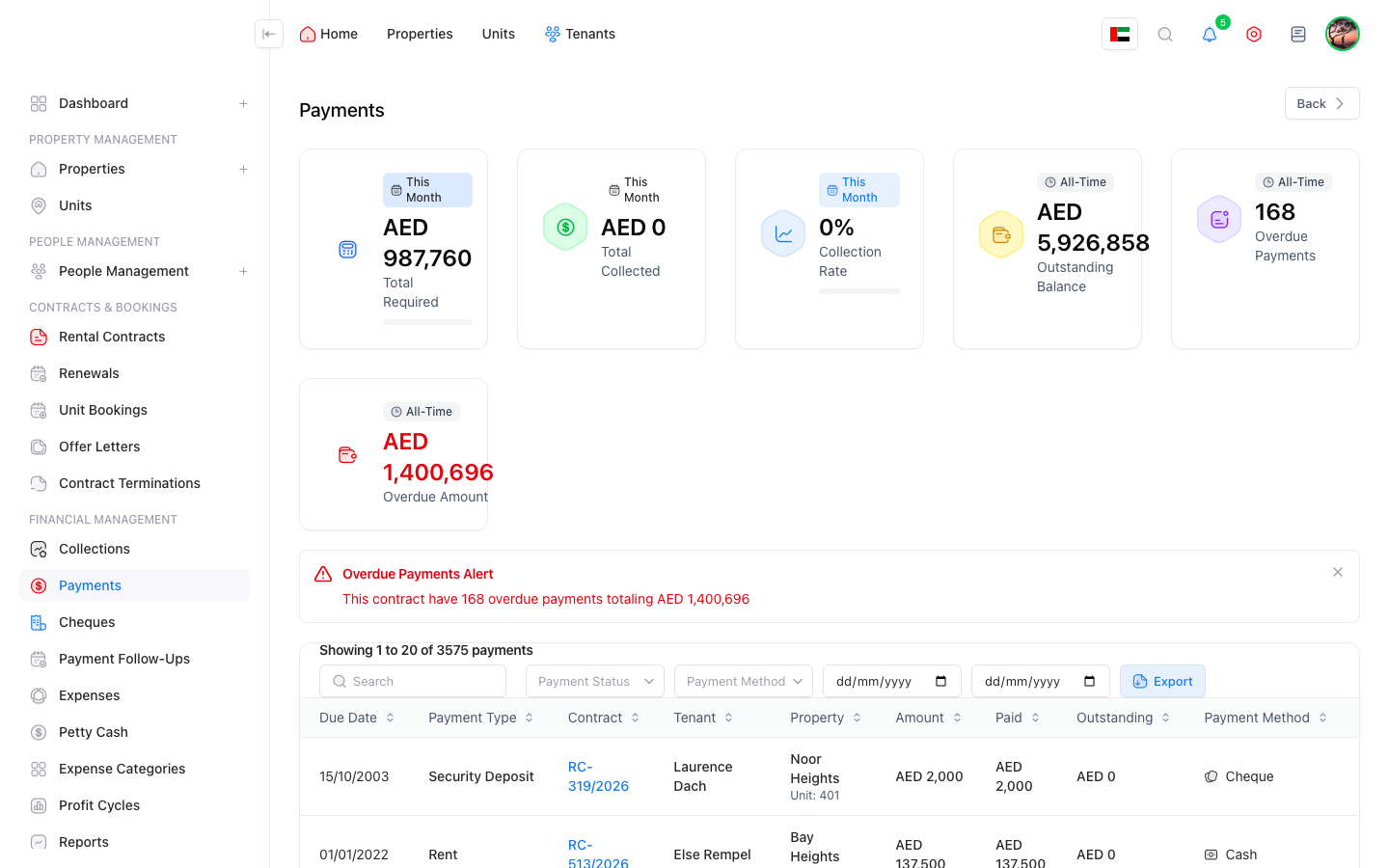
Every payment has a status and follow-up path.
- Payment schedules are linked to contract, dates, and amounts.
- Record actual payments with bank account and payment method.
- Payment statuses include due, paid, overdue, partial, or cancelled.
- Payments page supports filtering, review, and export.
- Payment and arrears analytics support the collection team.
Collection follow-up stays linked to tenant and contract.
- View collection status by tenant, contract, or period.
- Quickly identify overdue, due, and upcoming amounts.
- Direct links from tenant profile to collection records.
- Reports and indicators support cash-flow management.

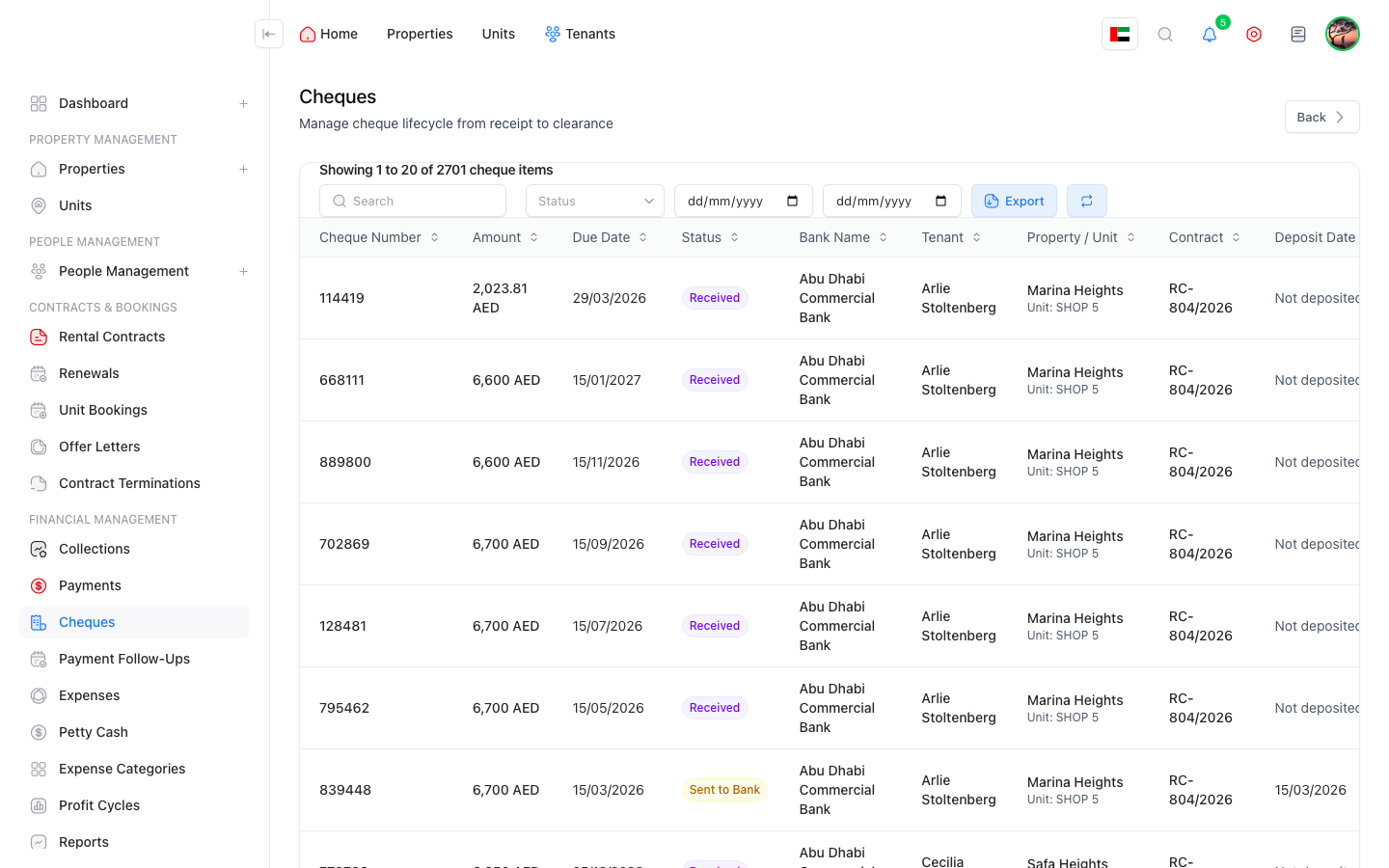
Manage cheque lifecycle from receipt to deposit or return.
- Cheque number, bank, due date, amount, and contract/payment link.
- Statuses include received, pending, due, deposited, returned, and released.
- Support held cheques, returned cheques, and fees when needed.
- Cheque reports show due, overdue, and risk indicators.
Collection follow-up does not rely on memory.
- Follow-up records are tied to late or upcoming payments.
- Notes, dates, and responsible users organize the work.
- Escalation and team ownership support collection operations.
- Reduce forgotten open cases and missed communication.

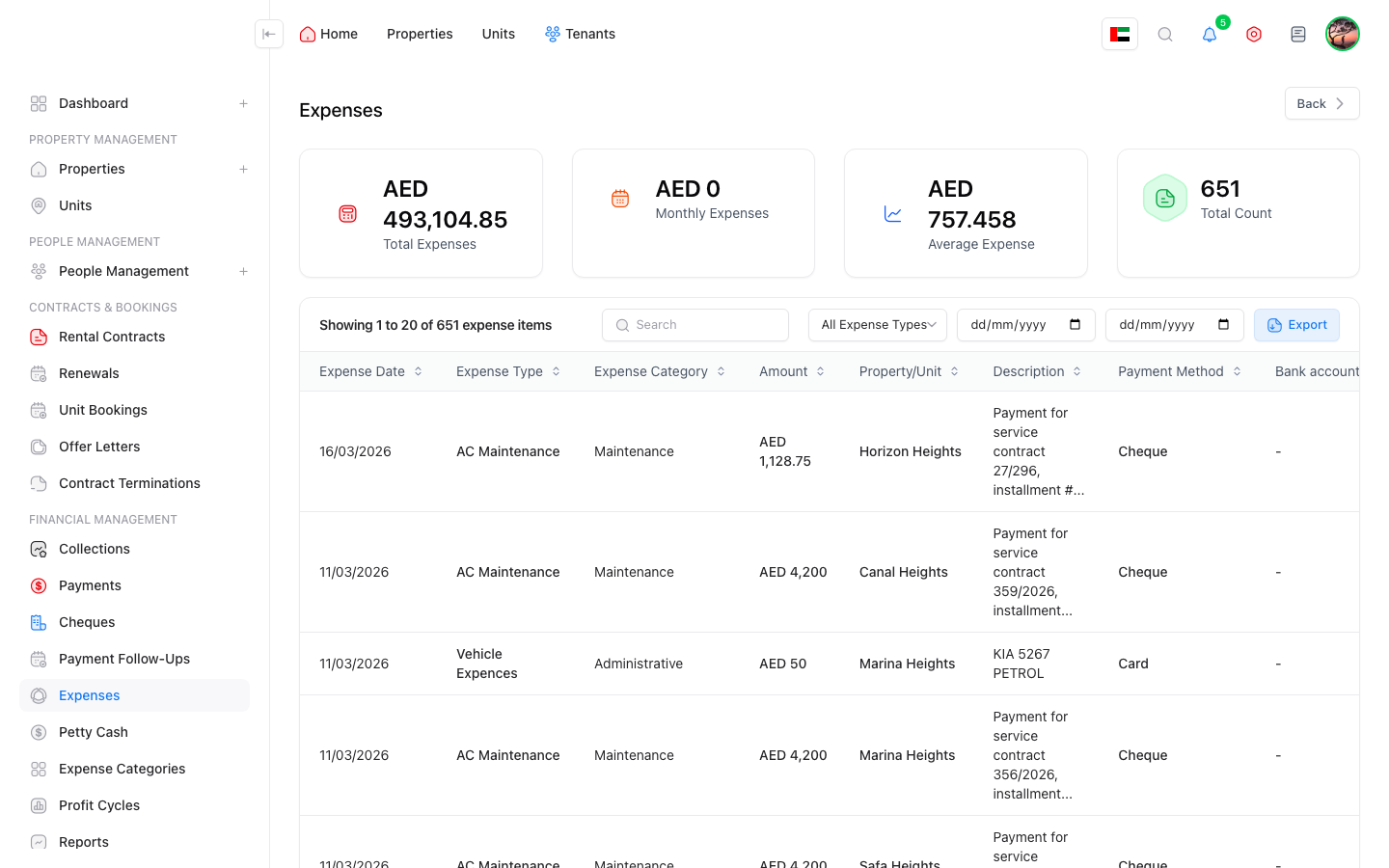
Accurate expenses linked to property, unit, and payment method.
- Expense categories and types organize spending.
- Record expenses on a property, unit, or maintenance request.
- Vendor, invoice number, expense date, description, and documents.
- Payment methods include cash, transfer, cheque, card, and petty cash.
- Spreadsheet export respects filters and counted details.
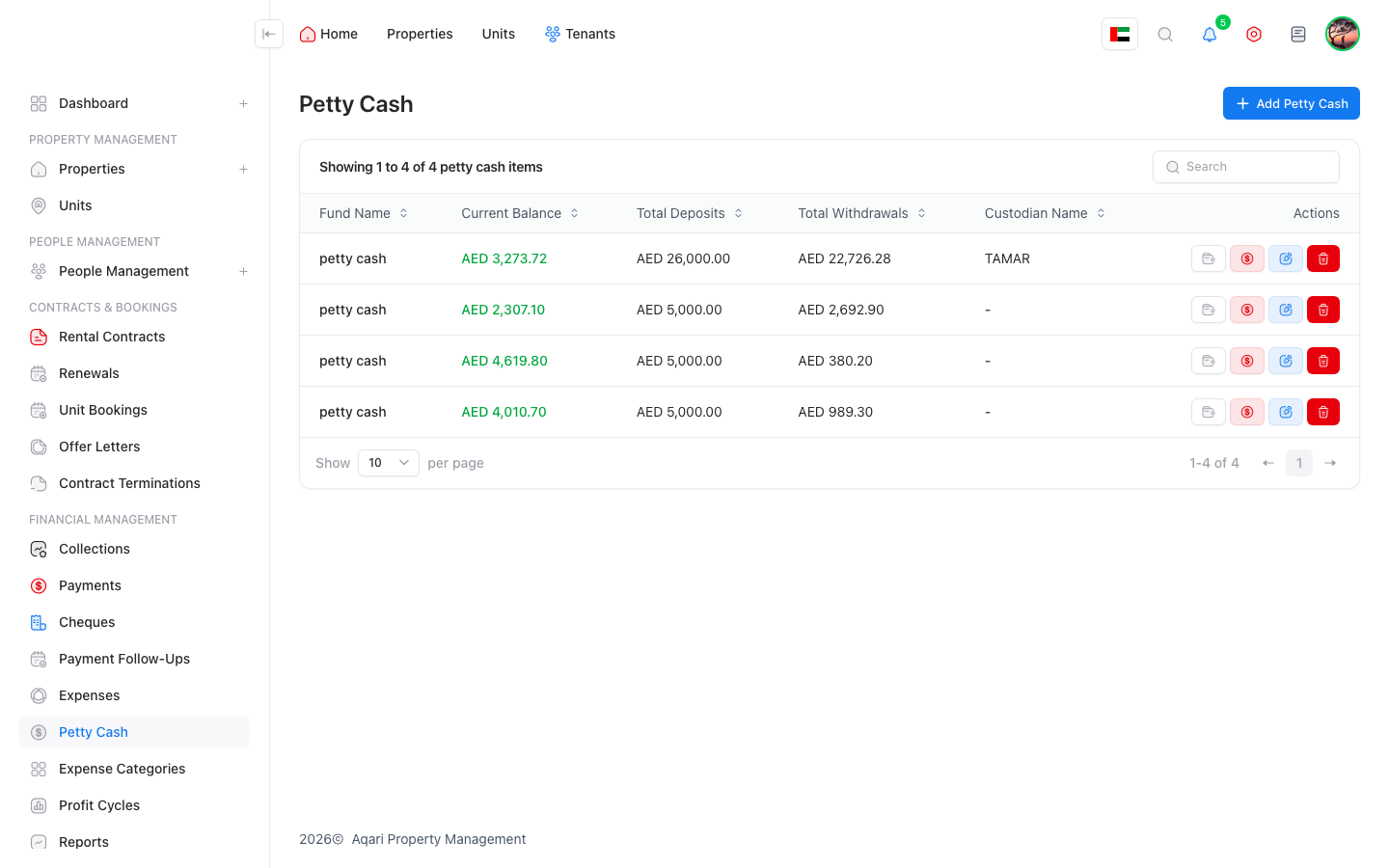
Manage multiple petty cash accounts with deposit and withdrawal control.
- Create multiple petty cash accounts and choose the account when paying an expense.
- Deposit petty cash from a bank account or defined source.
- Petty cash transaction date is separate from expense date to preserve cash chronology.
- Petty cash transaction reports show both transaction date and expense date.
- Accounts with transactions are closed instead of deleted.
A control feature that answers: where did each deposit go?
- Each petty cash deposit is treated as a funding source.
- Each withdrawal or expense consumes from available deposits in funding order.
- One deposit can fund multiple expenses.
- One expense can consume from more than one deposit if the first deposit is not enough.
- Each deposit has a page showing consumed amount, remaining amount, and export.

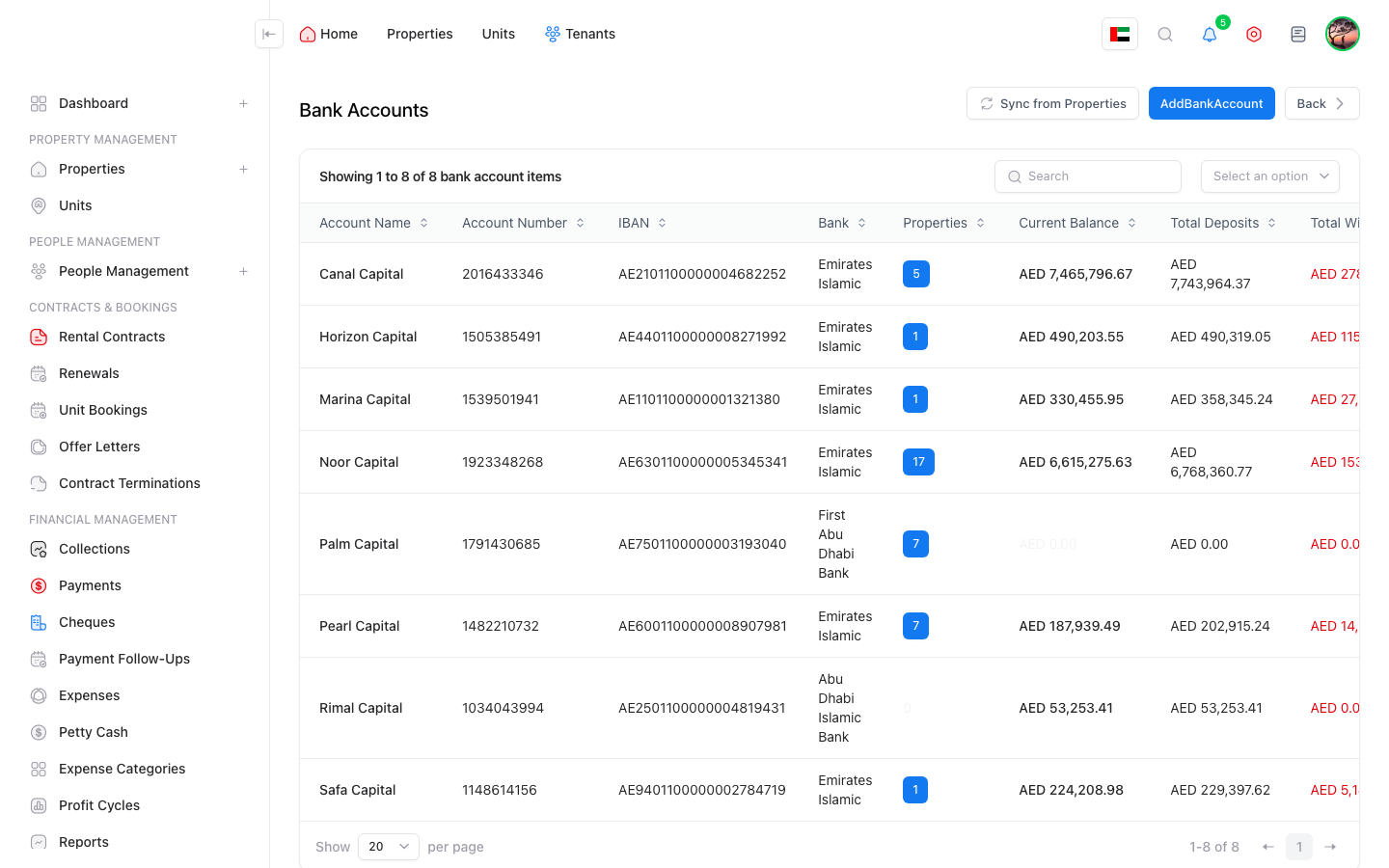
Connect bank accounts to financial operations.
- Manage bank accounts, account numbers, and related banks.
- View and export bank account transactions.
- Sync movements from payments, expenses, and petty cash.
- Link bank accounts to properties and review relationships.
- Support bank reconciliation and reduce missing movements.
Support VAT setup and controls.
- VAT configuration defines tax rules.
- VAT accounts manage the accounting accounts used for tax.
- VAT cycles track tax periods and status.
- VAT reports export data for review.
- Support different tax treatment depending on contract type or setup.
Profit cycles and owner distributions.
- Group income and expenses by period, property, or cycle.
- Review profitability before approving distribution.
- Distributions are linked to owners and ownership shares.
- Reports help owners and management understand net results.

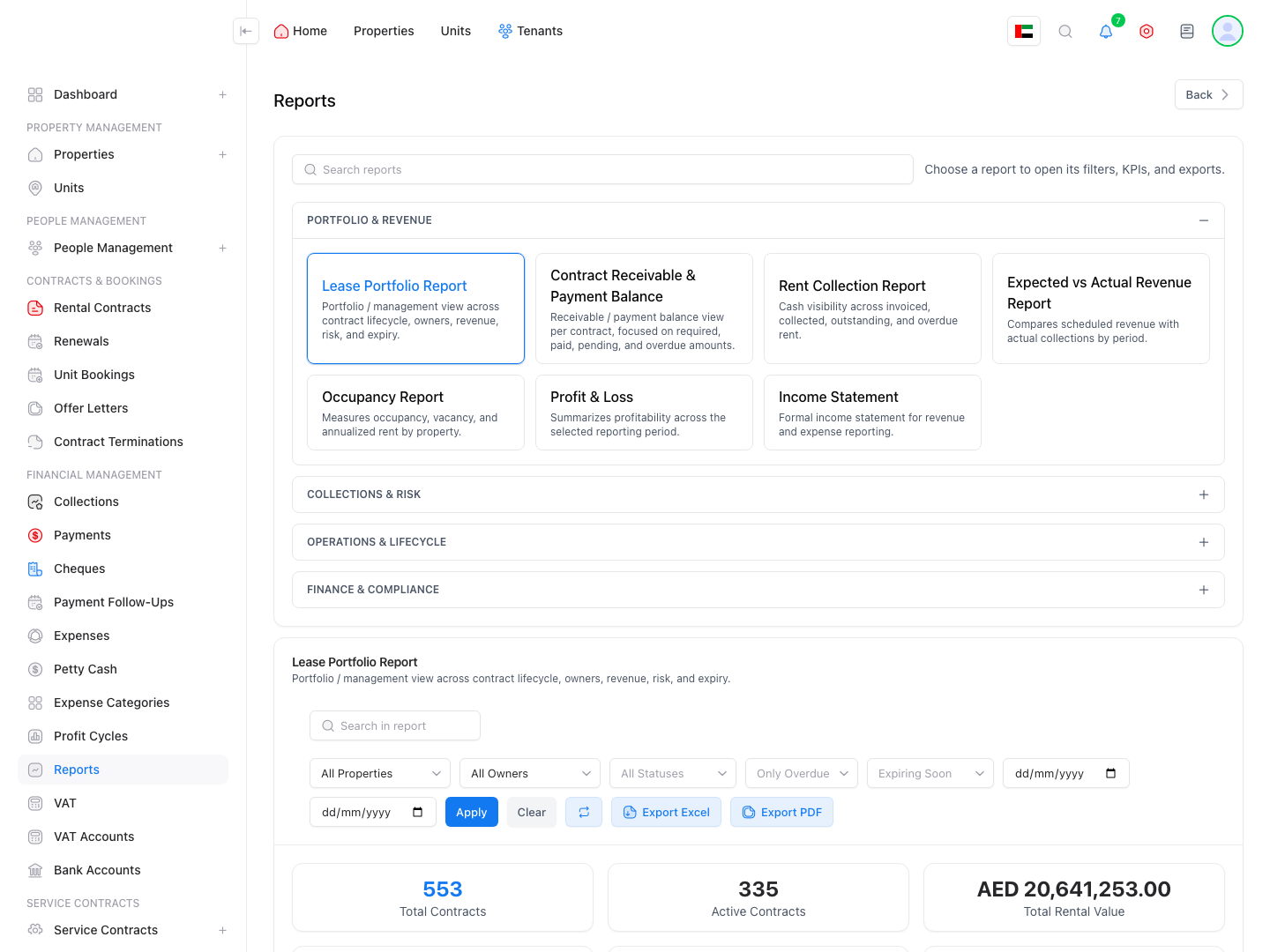
A reporting center for operations and finance.
- Property, unit, occupancy, and renewal reports.
- Collection, payment, cheque, and arrears reports.
- Expense reports with counted-line details.
- Monthly accounting report and ledger expense details.
- Spreadsheet exports for management, owners, and finance.
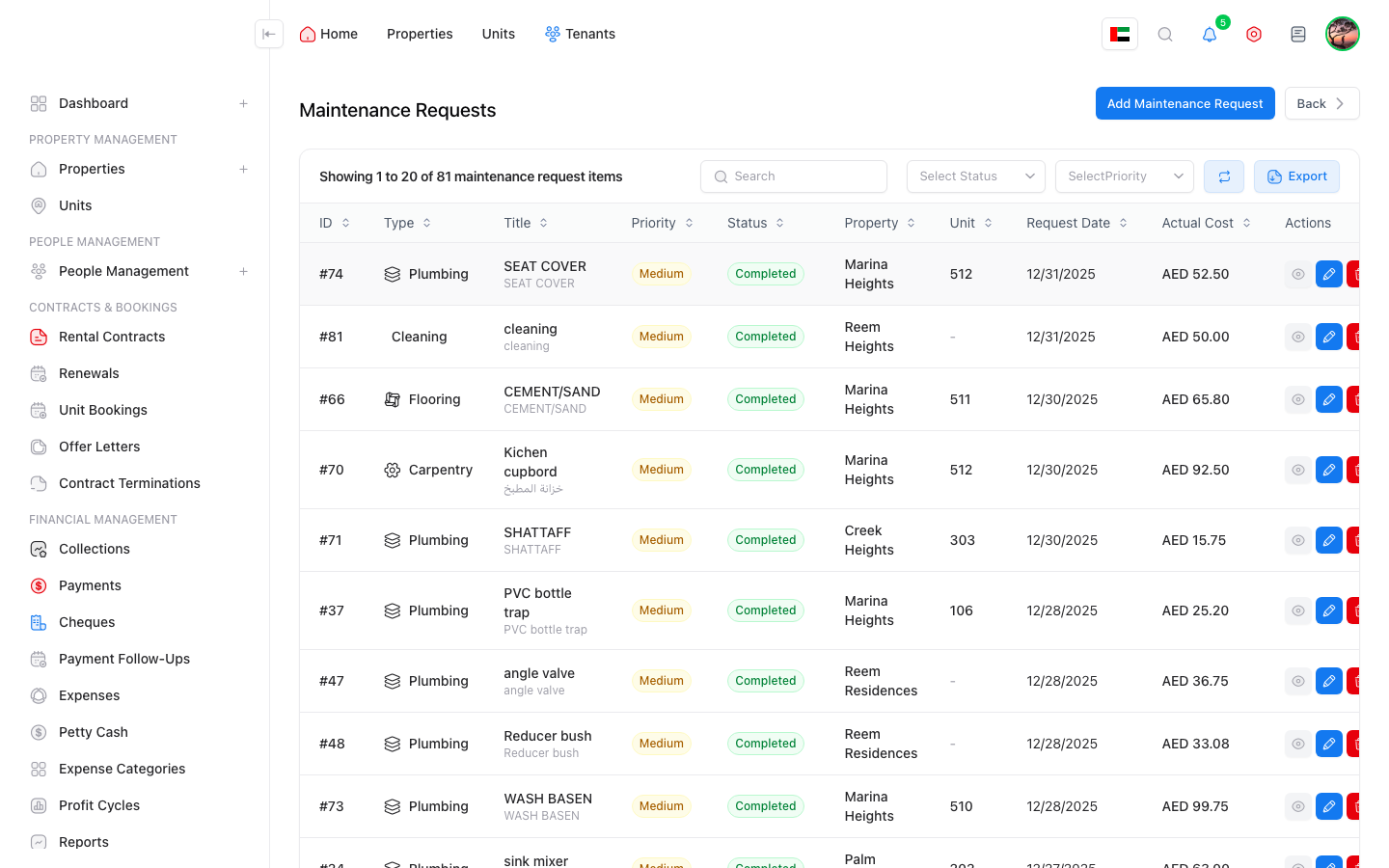
Manage maintenance from request to expense.
- Maintenance requests are linked to property, unit, or tenant.
- Track status, priority, assignee, notes, and vendor.
- Expected and actual cost, work order number, and completion date.
- Create a maintenance expense and link it to bank or petty cash.
- Timeline for communication and request documents.
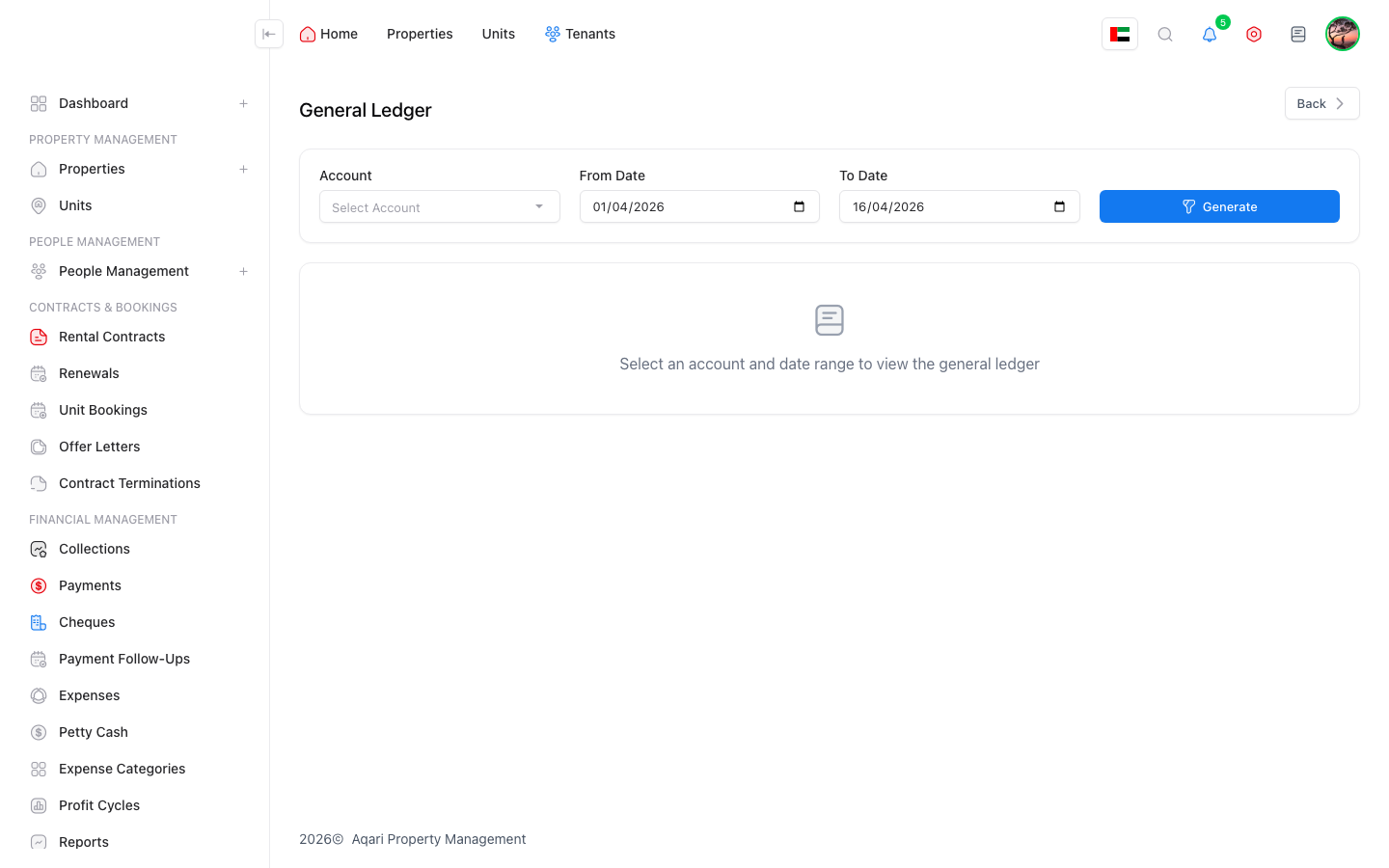
Inspect units and document condition.
- Inspection processes and templates by operation type.
- Move-in, move-out, or unit-condition inspections.
- Inspection items link to notes, photos, and documents.
- Create a claim or expense from an inspection item.
Track legal cases and their impact.
- Register legal disputes linked to tenant, unit, or contract.
- Legal expenses can be connected to the dispute.
- Clear indicators when an open case exists.
- Documents, notes, and dates help follow the case.
Manage suppliers and operating contracts.
- Service providers store supplier and vendor data.
- Service contracts cover recurring maintenance and services.
- Start/end dates and expiry alerts.
- Installments or obligations can be tracked by setup.
- Better visibility into recurring operating costs.

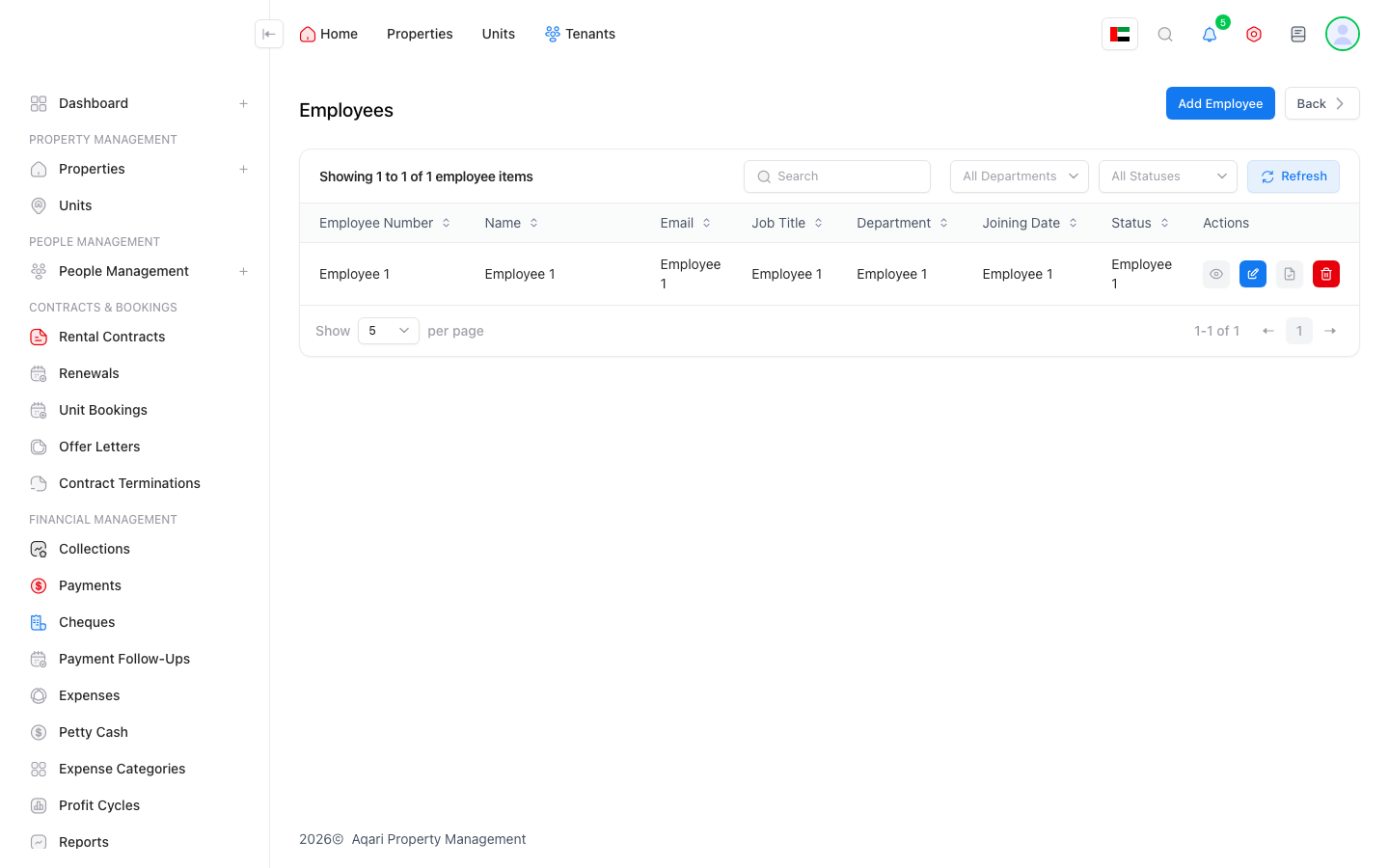
Accounting is embedded into property operations.
- Chart of accounts manages accounting accounts.
- Journal entries are linked to operational actions.
- General ledger reviews movements by account.
- Financial statements provide formal financial reports.
- Fiscal years manage periods and year structure.
Monitor gaps between operations, journals, and account transactions.
- Background checks help detect or repair missing journals and transactions.
- Diagnose posting gaps or historical operation issues.
- Reports help finance explain differences.
- Payments, expenses, and petty cash remain linked to journals and accounts.

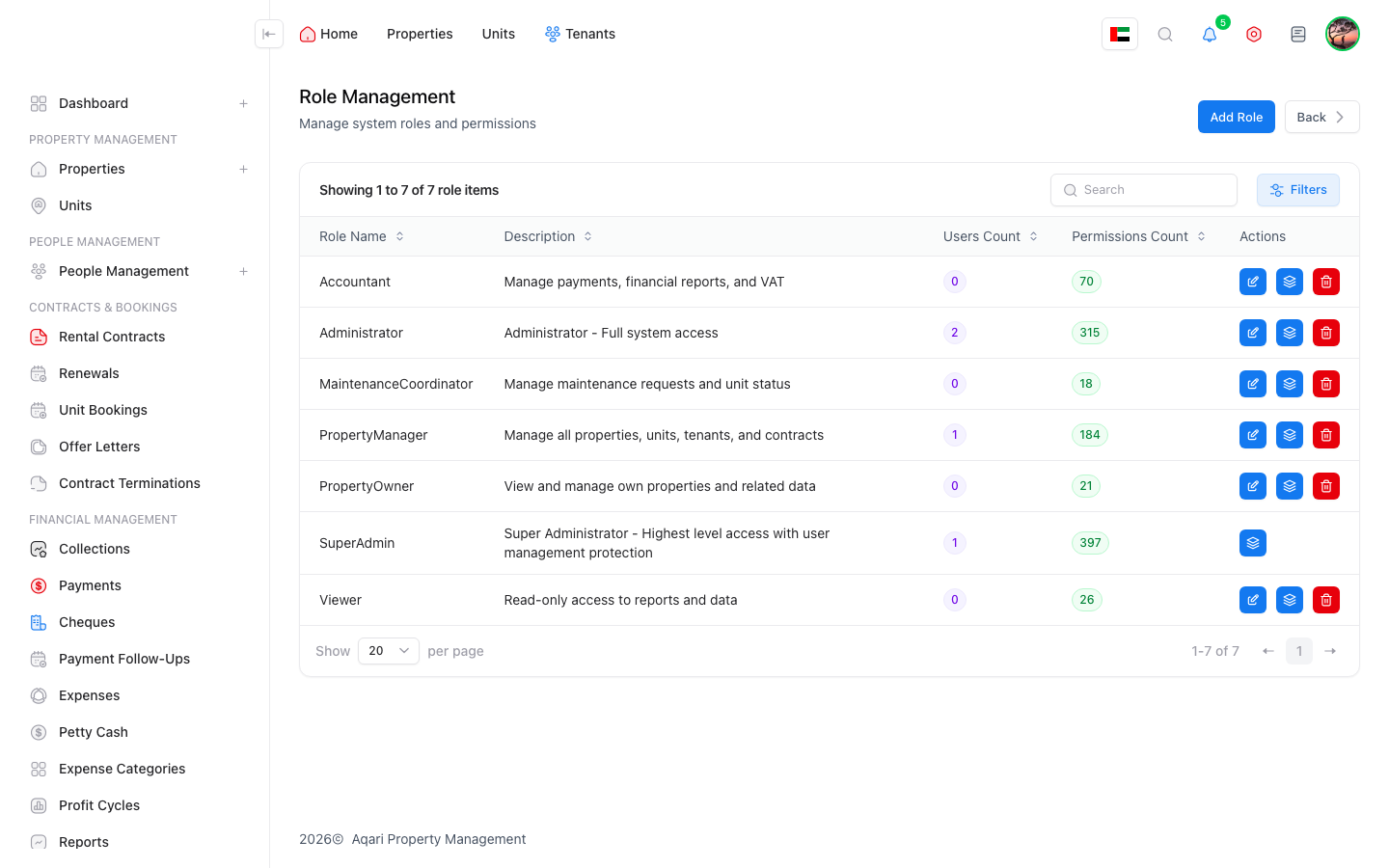
HR manages employee records and obligations.
- Employees module manages employee files.
- Employment contracts manage HR contracts.
- Leave requests manage employee leave.
- Visa records track visa status and expiry.
- Medical insurance records track insurance and alerts.
Every document and conversation stays in context.
- Upload documents on properties, units, owners, tenants, contracts, expenses, and petty cash.
- Document viewer opens files inside the system.
- Attachment requirements enforce documents for selected operations.
- Communication timeline tracks notes and conversations by entity.
- Internal chat, notifications, and outbound email monitoring support teams.
Self-service reduces pressure on management teams.
- Tenant portal shows tenant information, payments, maintenance, and documents.
- Owner portal shows financial information, documents, and summaries.
- Independent login, language switching, profile, and security.
- External portal settings control available features.
- Document upload and maintenance requests can be enabled through the portal.
Scalable workflows and approvals.
- Workflow definitions create approval and operation paths.
- Workflow designer configures stages and conditions.
- Workflow runs track execution.
- Approval inbox gives responsible users their pending work.
- Approval/rejection comments, SLA reminders, escalation, and reassignment.
An administration center for running and monitoring the system.
- Administration operations center manages critical operations.
- Background jobs monitor scheduled work.
- Database backups protect data.
- Storage and branding settings support operations.
- Outbound monitoring, exception box, and support module.
Tools that reduce data and operation risk.
- Data health reviews data quality.
- Repair center fixes known operational gaps.
- Application health monitors readiness.
- Audit trail shows operations and changes.
- Property access permissions restrict user access to properties.
Configurable settings instead of manual handling for every case.
- Settings module manages central configuration.
- Settings health reviews setup completeness.
- Settings impact previews change effects.
- Bulk settings application.
- Payment method settings and contract templates support business rules.

Suitable for multiple teams and sensitive information.
- Role-based permissions and functions.
- Checks before showing pages or executing commands.
- User profile and security settings.
- Prevent unauthorized access to financial or property data.
- User, role, and access management inside the system.
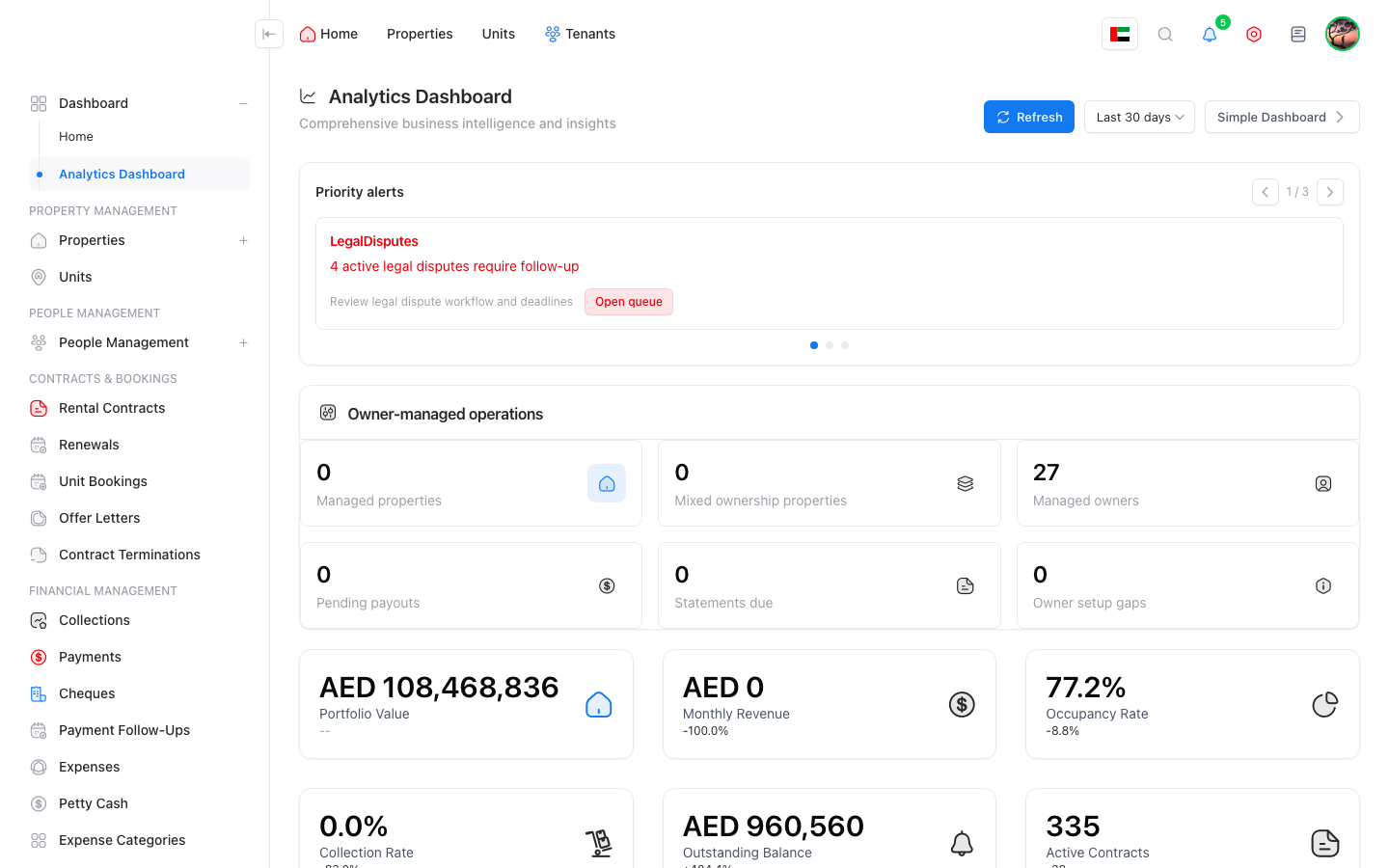
Turn data into decisions.
- Analytics for performance, collection, and risk indicators.
- Property performance intelligence explains portfolio performance.
- Payment analytics reveal collection and arrears patterns.
- Operational indicators track maintenance and occupancy.
- Executive summary for senior management.
The system is practical in implementation, not only in presentation.
- Import and export units, owners, and operational data where available.
- Export reports, transactions, payments, and expenses to spreadsheets.
- APIs and integration endpoints support scaling and external systems.
- Storage, document, and backup settings support production operations.
Daily tools make team work faster and easier.
The system covers the leasing journey before signing and after expiry.
Self-service and formal reporting for owners and tenants.
A wide settings layer makes implementation fit different environments.
Coverage for operating costs and long-term relationships.
The system does more than record a payment; it manages corrections and exceptions.
Reports cover management, collection, operations, and accounting.
Tools that help implementation and support teams operate with confidence.
The best live demo proves the link between operations and finance.
Aqari can be sold by customer size and operational maturity.
Pricing can be based on unit count, user count, enabled modules, implementation scope, and support level.
Aqari is not just a data-entry screen; it is an operational and financial system for property companies and owners.
Start with a live demo on real customer data, choose one pilot building, then expand by teams, units, and workflows.